Every dish costed from your latest supplier invoices, with margin and cost % recomputed on every load. Linked to your POS revenue for a menu engineering matrix that tells you which dishes to push, fix, or cut.
Book a demo →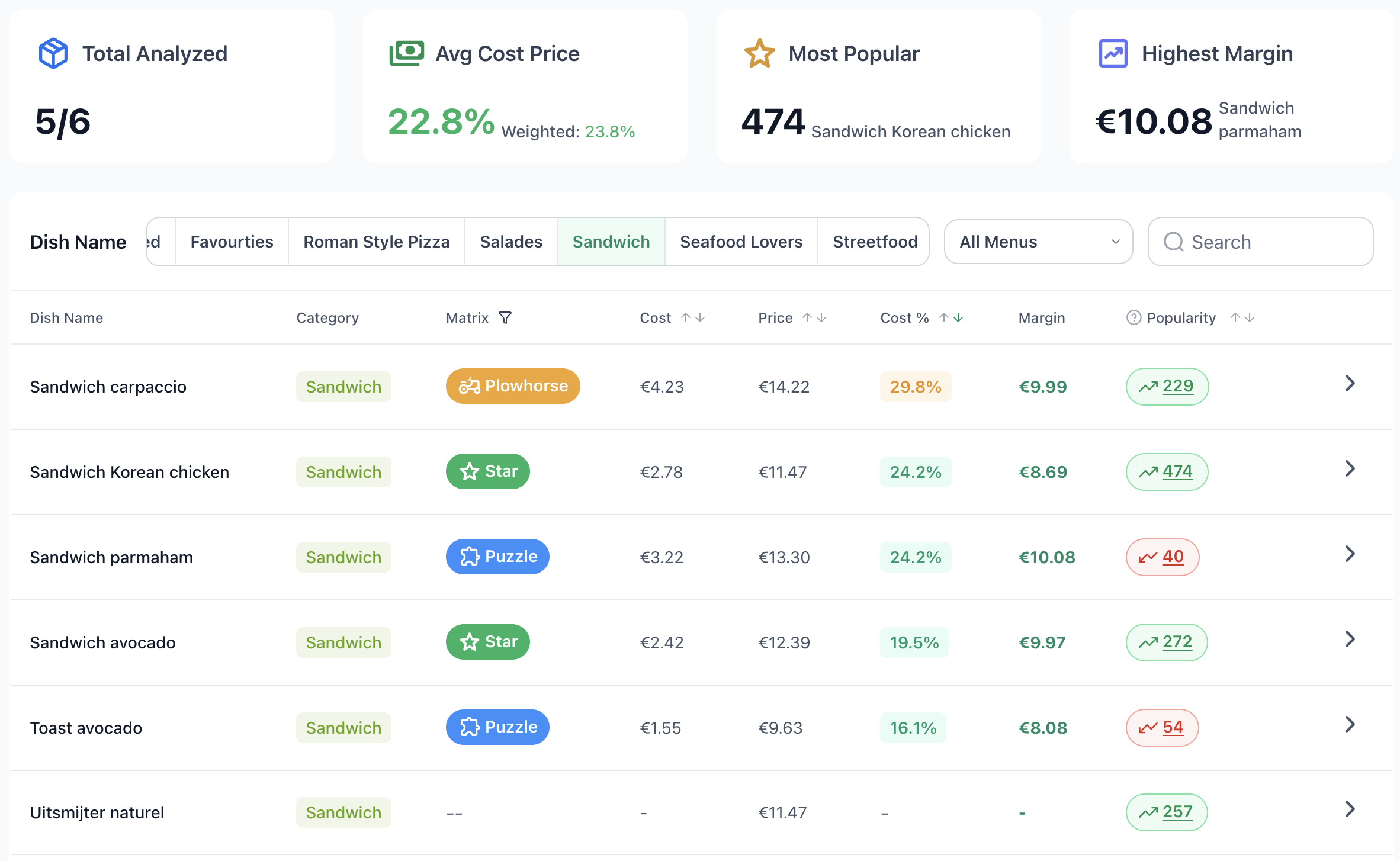
Each dish has a per-portion ingredient list. Every ingredient points at a real supplier product. The unit price on that product comes from the most recent matching invoice — so the cost in front of you is always today's number, not last quarter's.
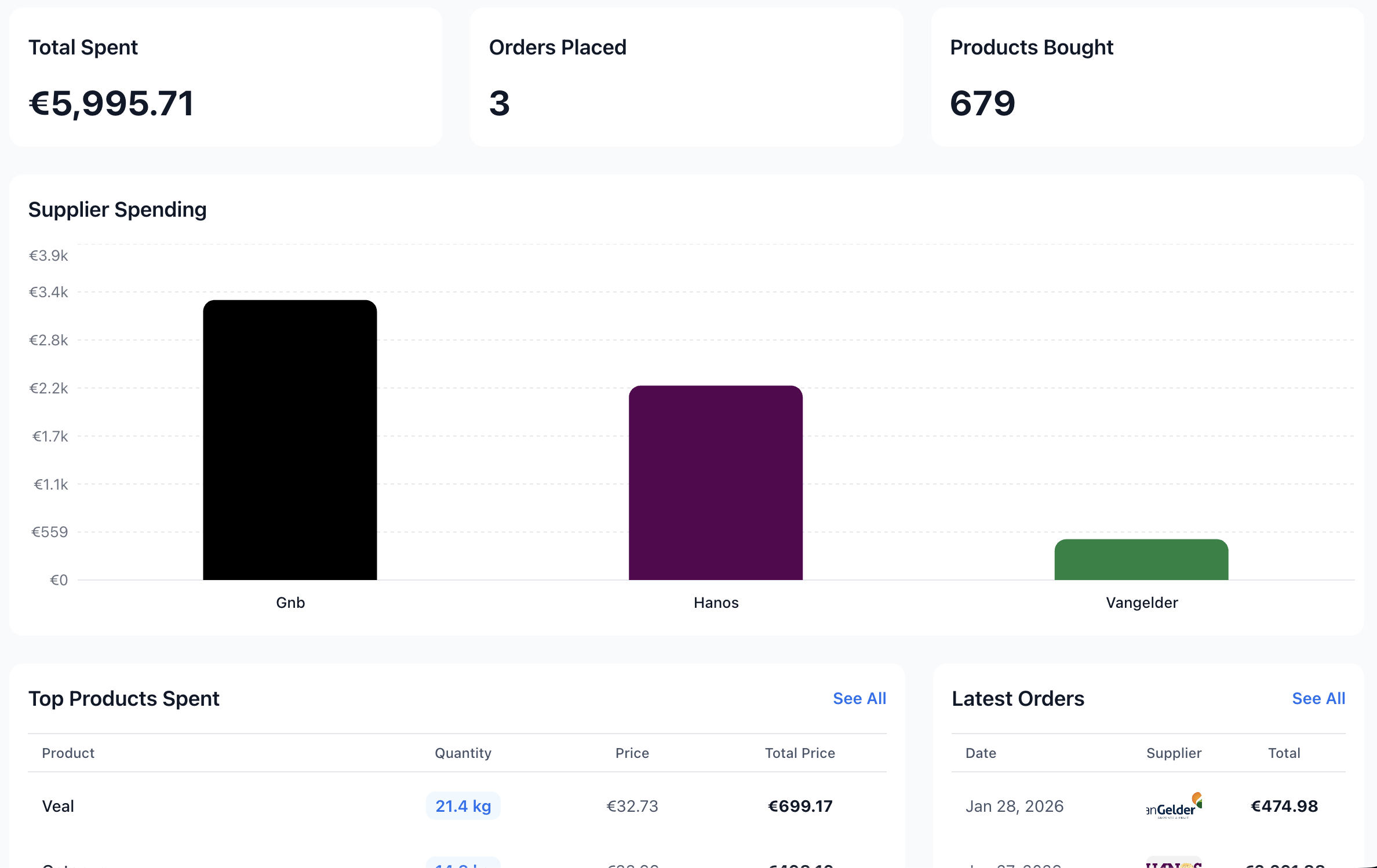
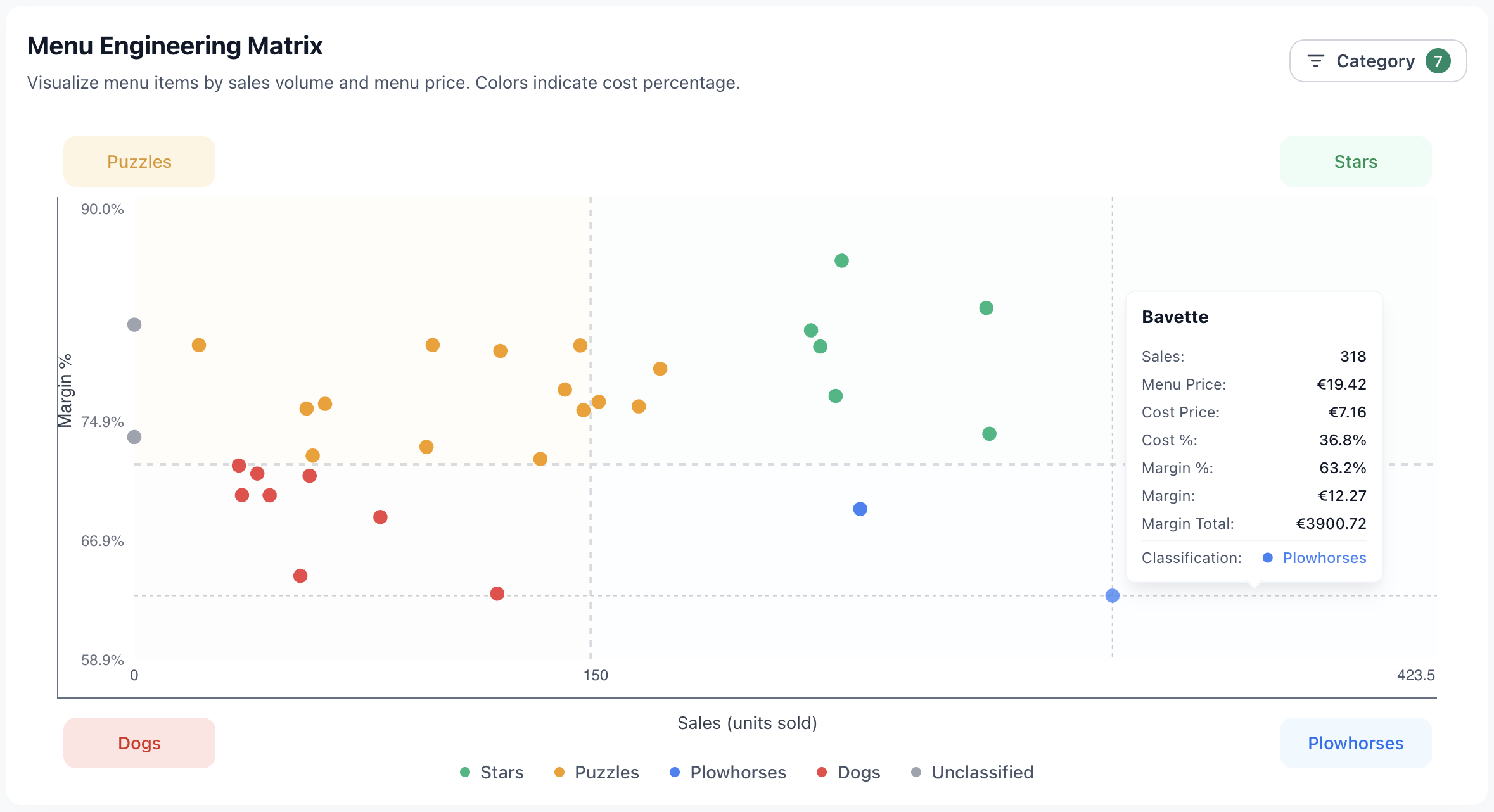
Connect your POS sales and every dish lands in one of four quadrants on the menu engineering matrix — based on its margin and how often it sells.
Popularity is calculated on a rolling 2-month POS window, so a single busy week doesn't move the classification.
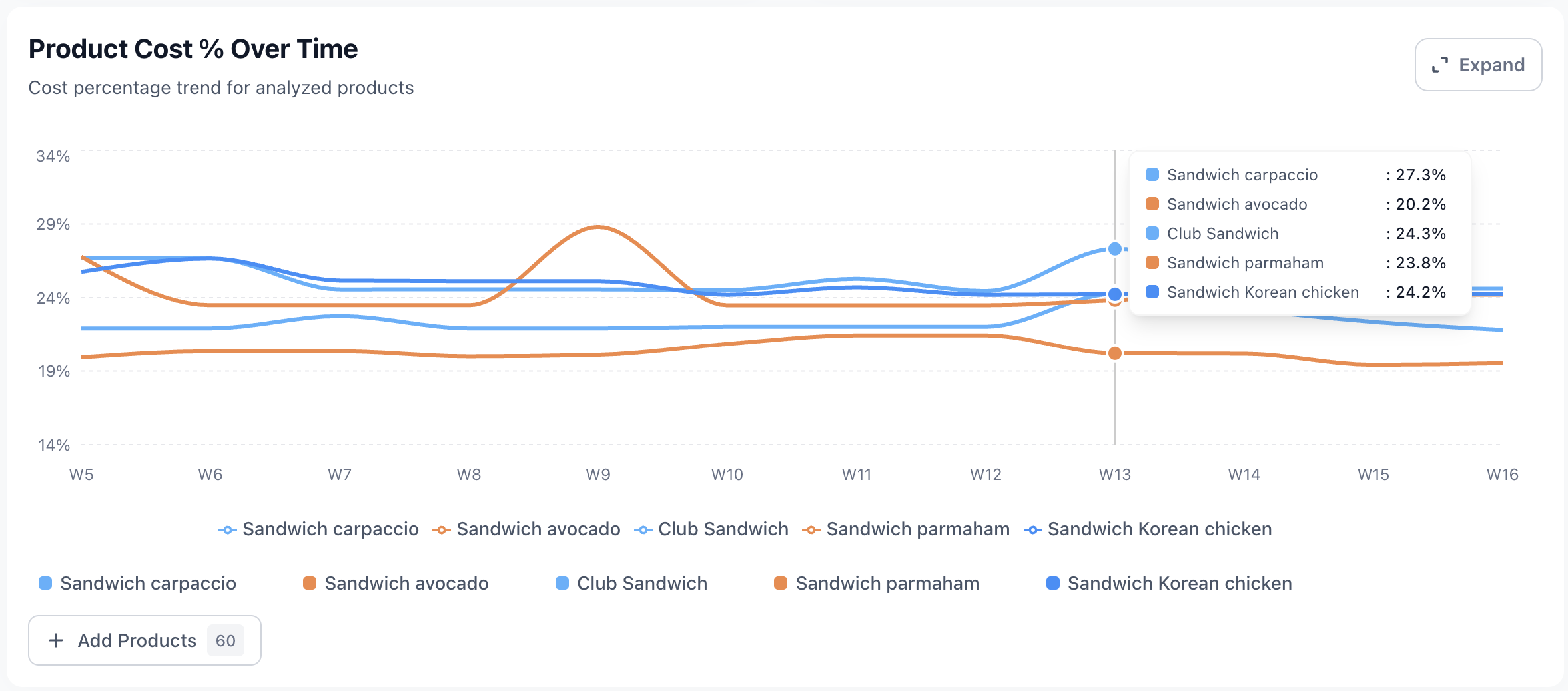
Every dish has a cost % timeline. The moment supplier prices push a dish outside your healthy range, it's visible — long before it shows up on a P&L.
Real kitchens reuse ingredients across dishes. Culinary Cloud handles that without forcing you to keep 30 spreadsheets in sync.
Upload a Word document with your menu, ingredients and quantities. The importer reads it, recognizes categories, and matches each ingredient against the products you already buy from your suppliers.
Cost-price data isn't just numbers on a dashboard. It feeds the weekly action-items engine that flags things you'd otherwise miss.
| How it updates | Live — recalculated each time you open it, from your latest invoice prices |
| Recipe structure | Ingredient list per portion, with subrecipes and nested dishes up to 3 levels deep |
| POS link | Each dish is matched to its POS sales item by name; you can override the link manually |
| Margin threshold | Configurable; defaults around 72% margin for Star / Puzzle classification |
| Popularity window | Last 2 months of POS sales (rolling) |
| BTW handling | Ex-VAT / incl-VAT toggle; 9% food / 21% drinks & non-food / reverse-charge supported |
| Bulk import | Upload your recipe document; ingredients are matched against your supplier catalog automatically |
| Categories | Per restaurant; ordering, colors and a default category set up for you |
| Access control | Per-staff access scope (food-only or drinks-only) |
Each dish has an ingredient list with quantities per portion. For every ingredient, Culinary Cloud takes the unit price from the most recent matching supplier invoice line and multiplies by the quantity needed. Total cost, cost percentage and margin are recomputed on every load — no batch job, no overnight refresh.
No. You can run cost prices from supplier invoices alone. POS revenue is only required for the menu engineering matrix and weighted KPIs — if you connect it, every dish gets a sales volume next to its margin and is classified Star / Puzzle / Plowhorse / Dog.
Yes. Each ingredient is bound to a specific supplier product. If you buy beef tenderloin from both Vleescentrale Den Haag and Hanos, you set up two ingredients and the cost price reflects whichever is most recent — or you switch the link when you change supplier.
Yes. Upload a Word document of your menu with ingredients and quantities; an automated importer creates categories, matches each ingredient to your existing supplier products using AI, and creates cost price entries for every dish. The matched cost price entries are then linked to revenue items by menu name.
Yes. A subrecipe (e.g. a 4-litre demi-glace) has its own ingredient list and portion count; when used in a dish, the per-portion cost is folded into the dish automatically. Changing the subrecipe propagates to every dish that uses it.
Book a demo — we tailor a quote to your locations, number of suppliers and POS integration needs. Built for independent Dutch restaurants, small groups and hospitality holdings; not an enterprise-pricing platform.