Every parsed invoice is checked against the most recent prior unit price for every product. The second a price changes, an alert is created — with the supplier, the product, the % change, and which dishes it affects.
Book a demo →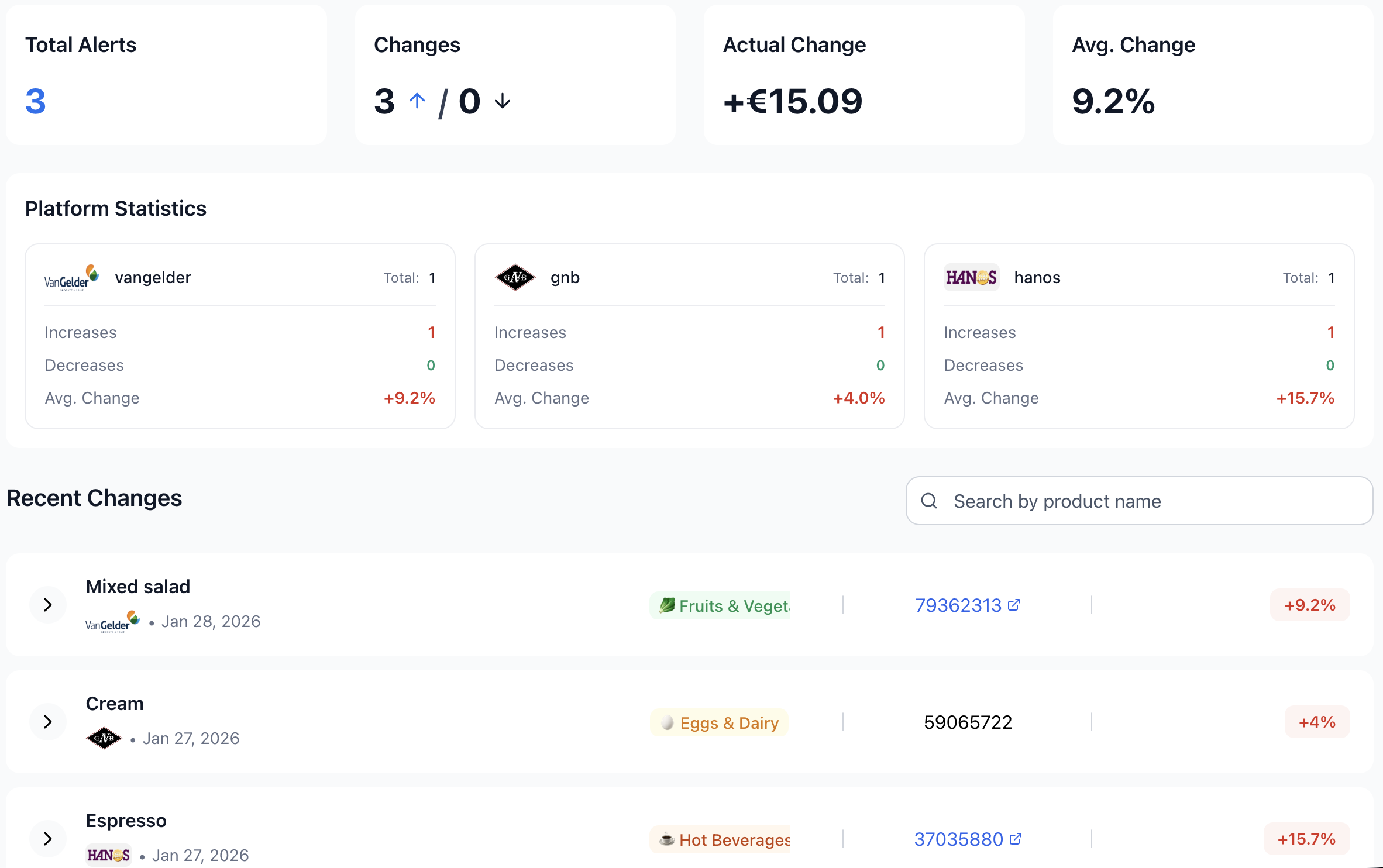
Price alerts are tied directly to invoice ingestion — not a separate scheduled job, not a manual report.
No thresholds to set up first. No "wait until Friday for the report" delay. Your dashboard updates the moment the invoice arrives.
An alert is only useful where you'll actually see it. Culinary Cloud surfaces every alert in four different places.
A searchable feed with KPI cards (total alerts, increases vs decreases, actual money impact, weighted avg % change), per-supplier statistics, and date / supplier / category filters.
Top-5 most recent and most-impactful alerts on the main dashboard, with a click-through to the full feed.
Every Monday at 14:00, the weekly report includes a price-alert section — split by kitchen and bar for managers, or by access level for staff.
The moment a price change is detected, you get an email — with the supplier, the order, what changed and by how much. Each team member decides whether they want it.
A 4% jump on olive oil sounds harmless until you realise it's the top cost in a dish you sell 80 times a week. Price alerts feed the weekly action-items engine so you don't have to do that math yourself.
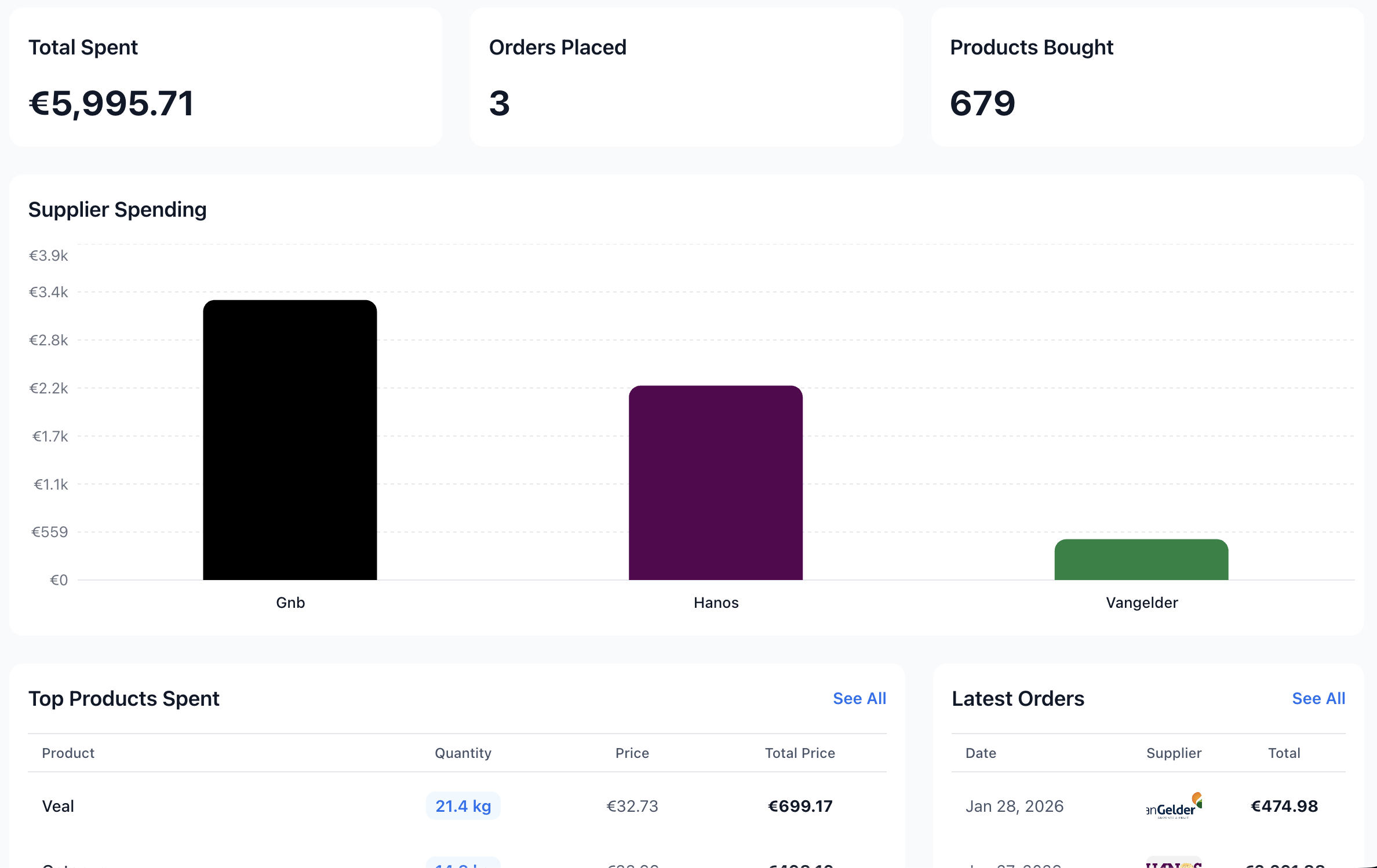
Numbers that turn alerts into decisions:
| When alerts fire | Every time a new invoice is processed — no delay, no waiting for a batch |
| Baseline | The most recent price you paid for the same product at the same supplier |
| Sensitivity | Anything above €0.01 per unit; no minimum percentage to hide small movements |
| Direction | Both increases and decreases, clearly distinguished |
| Matching | By product per supplier — using article numbers where available, product name where not |
| Where they show | Dedicated alerts page, dashboard card, weekly email report, immediate email when an alert is created |
| Weekly action items | Cost impact, plowhorse optimisation, top spending changes — all escalate when an alert is involved |
| Email recipients | Admin by default; staff can opt in |
| Per-person controls | Each person sets their own email preference; the weekly report respects food / drinks access roles |
Every time a new supplier invoice is parsed, every product on that invoice is compared against the most recent prior occurrence of the same product on the same supplier. If the unit price changed, an alert is created — automatically, no thresholds to configure to get started.
Four places: a dedicated alerts page with key numbers and a searchable feed; a top-5 card on your dashboard; a section in the weekly email report split by kitchen and bar; and an email the moment a price change is detected, sent to the admin and any staff who opted in.
Yes. Both increases and decreases are tracked, with the direction shown clearly. Decreases are a good signal for renegotiation against a competitor supplier; increases are the ones you'll most often act on first.
Yes. When an ingredient with a triggered price alert is used in a high-volume dish, the alert is escalated into the weekly action items — with the estimated weekly cost impact in euros. This is the difference between knowing a price changed and knowing which dish to fix.
Yes. Each person has their own toggle for the immediate email, and the weekly report respects access roles — managers see kitchen and bar, kitchen staff see only food, bar staff see only drinks.
Yes. For Dutch suppliers that don't print article numbers on their invoices, we match products by name within the same supplier — so price comparison still works.
20-minute demo with your historical invoices loaded in.
Book a demo →